Paragraph Enter Key Behavior
In rich text editing, pressing the Enter key does not merely insert a newline character (\n). In document editors, pressing Enter has context-sensitive semantics:
- Within a heading, pressing Enter should transition to normal paragraph text rather than continuing the heading style onto the next line.
- Within a bullet or ordered list, pressing Enter should spawn the next list item at the current indentation level. Pressing Enter on an empty list item should outdent or exit list mode entirely.
- Within block quotes or code blocks, pressing Enter should preserve block nesting or indentation until explicitly terminated.
Arranger provides a clean, pluggable extension model via EnterKeyStrategy to control exactly how newlines alter paragraph and block attributes.
The EnterKeyStrategy Architecture
The core :richtext module defines the strategy interface and its invocation context:
package dev.mkeeda.arranger.richtext

public interface EnterKeyStrategy {
    public fun execute(context: EnterKeyContext): EnterKeyResult
}
Whenever the user presses Enter (or soft-keyboard newline), Arranger captures the current paragraph context and invokes the strategy associated with the current paragraph's ParagraphAttributeKey.
EnterKeyContext
EnterKeyContext provides the contextual snapshot before the newline is committed:
public data class EnterKeyContext(
    val text: String,
    val cursorPosition: Int,
    val paragraphRange: IntRange,
    val currentAttributes: AttributeContainer,
)
text: The entire plain text string of the buffer before newline insertion.cursorPosition: The character offset where the newline was triggered.paragraphRange: TheIntRangespanning the current paragraph (from the start of the line to the ending newline or end of text).currentAttributes: The block-level attributes applied to the active paragraph.
EnterKeyResult
EnterKeyResult is a sealed interface representing one of three mutation outcomes:
public sealed interface EnterKeyResult {
    /**
     * Inherit the specified attributes for the newly created paragraph.
     * The newline is inserted and preserved.
     */
    public data class InheritAttributes(val attributes: AttributeContainer) : EnterKeyResult

    /**
     * Clear block attributes for the newly created paragraph, resulting in a standard paragraph.
     * The newline is inserted and preserved.
     */
    public data object ClearAttributes : EnterKeyResult

    /**
     * Do not insert a newline. Instead, modify the attributes of the current paragraph.
     * Used for outdenting or exiting empty list items.
     */
    public data class Outdent(val attributes: AttributeContainer) : EnterKeyResult
}
Built-in Strategies
Arranger bundles three standard implementations out of the box:
| Strategy | Target Key | Behavior on Enter |
|---|---|---|
InheritParagraphStrategy |
Default for ParagraphAttributeKey and BlockquoteKey |
Clones all paragraph attributes to the newly created line. |
HeadingEnterStrategy |
HeadingKey |
Clears HeadingLevel block attributes on the new line; reverts to standard body text. |
ListEnterStrategy |
BulletListKey, OrderedListKey |
On non-empty line: inherits list level. On empty line with Level2+: decrements indent level.On empty line with Level1: removes list attribute and exits list. |
1. InheritParagraphStrategy
When typing standard paragraphs, text alignments, or blockquotes, the new line continues the existing block styling.
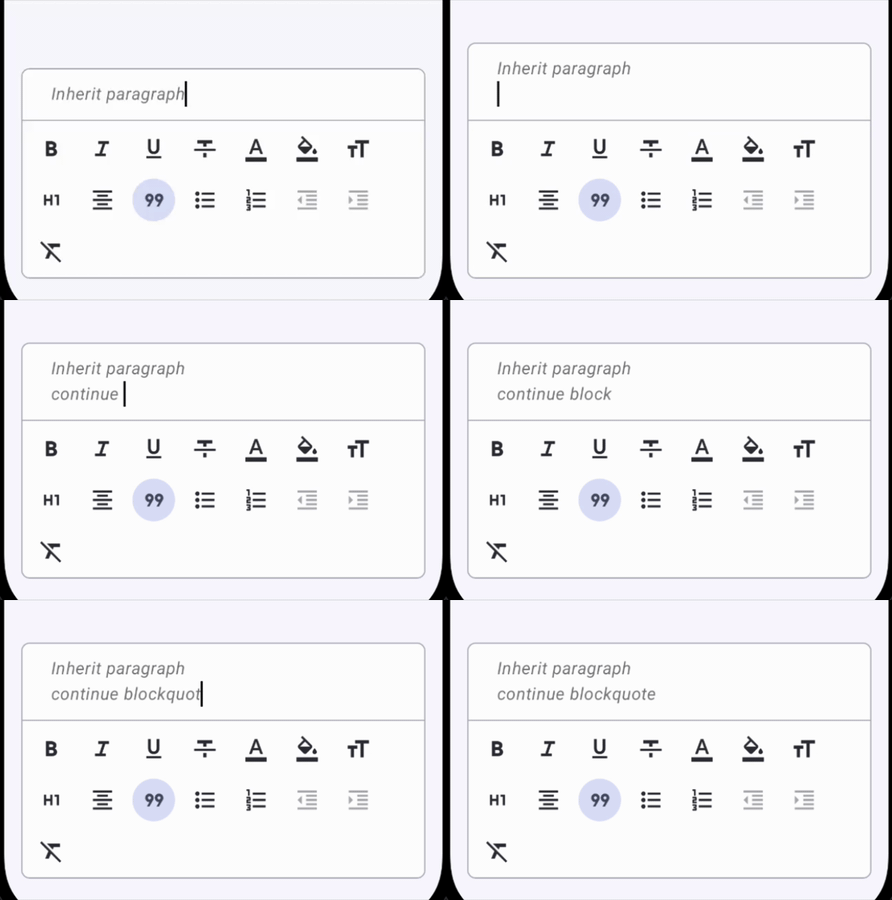
public object InheritParagraphStrategy : EnterKeyStrategy {
    override fun execute(context: EnterKeyContext): EnterKeyResult {
        return EnterKeyResult.InheritAttributes(context.currentAttributes)
    }
}
2. HeadingEnterStrategy
When writing headings, pressing Enter at the end of or inside a heading splits the block and creates a standard paragraph on the next line.
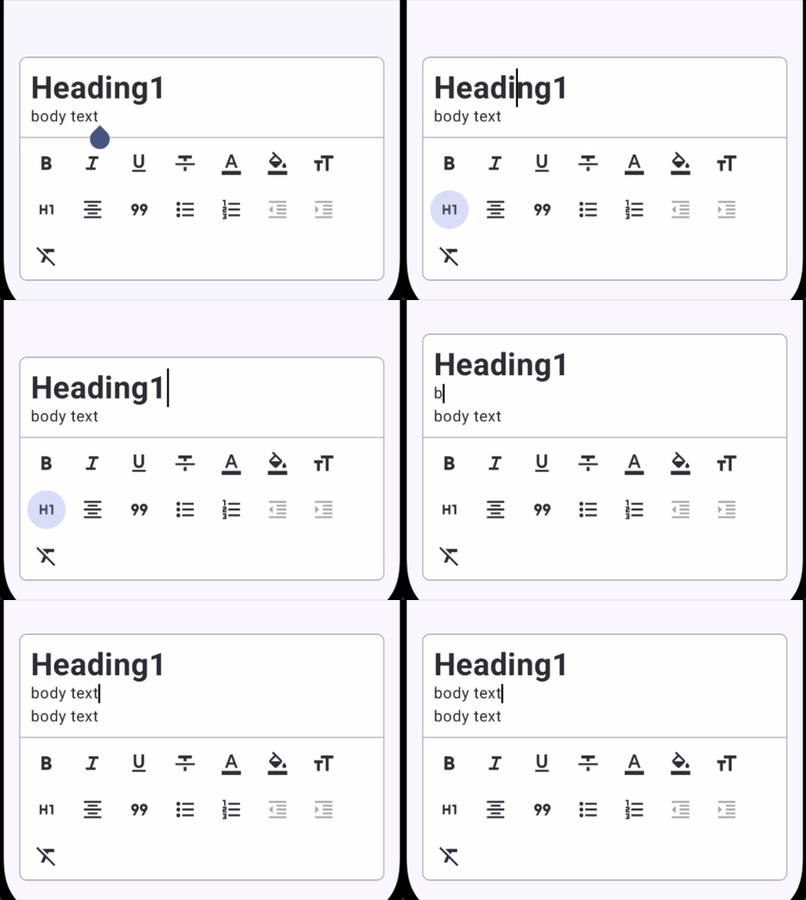
public object HeadingEnterStrategy : EnterKeyStrategy {
    override fun execute(context: EnterKeyContext): EnterKeyResult {
        return EnterKeyResult.ClearAttributes
    }
}
3. ListEnterStrategy
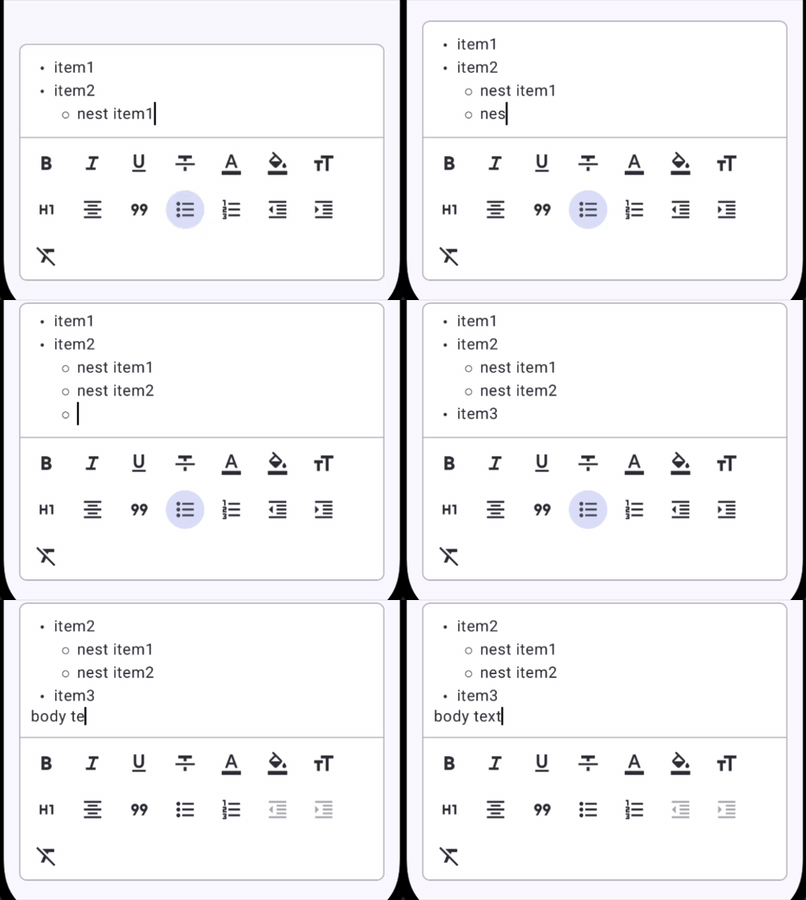
Lists require dynamic continuation and recursive outdenting:
- Continuation: If the current list item contains text, pressing Enter creates a new list item at the exact same indentation level (
InheritAttributes). - Outdenting: If the list item is empty (line contains only whitespace or newline) and indented at
Level2throughLevel6, pressing Enter cancels newline insertion and reduces the indent level by one step (Outdent). - Exiting List: If an empty list item is at root
Level1, pressing Enter removes the list key entirely, turning the line back into a normal paragraph (Outdent(attributes - listKey)).
public object ListEnterStrategy : EnterKeyStrategy {
    override fun execute(context: EnterKeyContext): EnterKeyResult {
        val paragraphText = context.text.substring(context.paragraphRange)
        val isEmpty = paragraphText.isEmpty() || paragraphText == "\n"

        if (!isEmpty) {
            return EnterKeyResult.InheritAttributes(context.currentAttributes)
        }

        val listKey =
            context.currentAttributes.keys
                .filterIsInstance<BlockTypeAttributeKey<ListIndentLevel>>()
                .firstOrNull()
                ?: return EnterKeyResult.ClearAttributes

        val currentLevel = context.currentAttributes.getOrDefault(listKey)
        return if (currentLevel.ordinal > 0) {
            val outdented =
                context.currentAttributes +
                    (listKey to ListIndentLevel.entries[currentLevel.ordinal - 1])
            EnterKeyResult.Outdent(outdented)
        } else {
            EnterKeyResult.Outdent(context.currentAttributes - listKey)
        }
    }
}
Implementing Custom EnterKeyStrategy
Custom block types can define their own Enter key behavior by implementing EnterKeyStrategy and attaching it to a ParagraphAttributeKey or BlockTypeAttributeKey.
Example: Code Block Exit Strategy
Consider a code block where pressing Enter creates normal newlines inside code, but pressing Enter twice on an empty line exits the code block:
```kotlin
public data object CodeBlockKey : BlockTypeAttributeKey
public object CodeBlockEnterStrategy : EnterKeyStrategy { override fun execute(context: EnterKeyContext): EnterKeyResult { val currentLineText = context.text.substring(context.paragraphRange).trimEnd('\n')
    // If the user presses Enter on an empty line within code block, exit code block
    return if (currentLineText.isEmpty()) {
        EnterKeyResult.Outdent(context.currentAttributes - CodeBlockKey)
    } else {
        EnterKeyResult.InheritAttributes(context.currentAttributes)
    }
}
}
Summary
- Every paragraph attribute in Arranger specifies an
enterKeyStrategy. InheritParagraphStrategyduplicates block attributes on newline.HeadingEnterStrategyresets paragraph attributes back to default body text.ListEnterStrategyhandles continuation, multi-level outdenting, and clean list termination without leaving stray newlines.- Use custom strategies for rich block types like Callouts, Code Blocks, or Checklists.