Markdown Shortcut Editor (WYSIWYG)
WysiwygEditor is a real-time WYSIWYG editor component that detects Markdown formatting syntax on the fly and immediately converts it into rich text styles. Like Notion, Bear, or Slack, users can format documents effortlessly without lifting their hands from the keyboard.
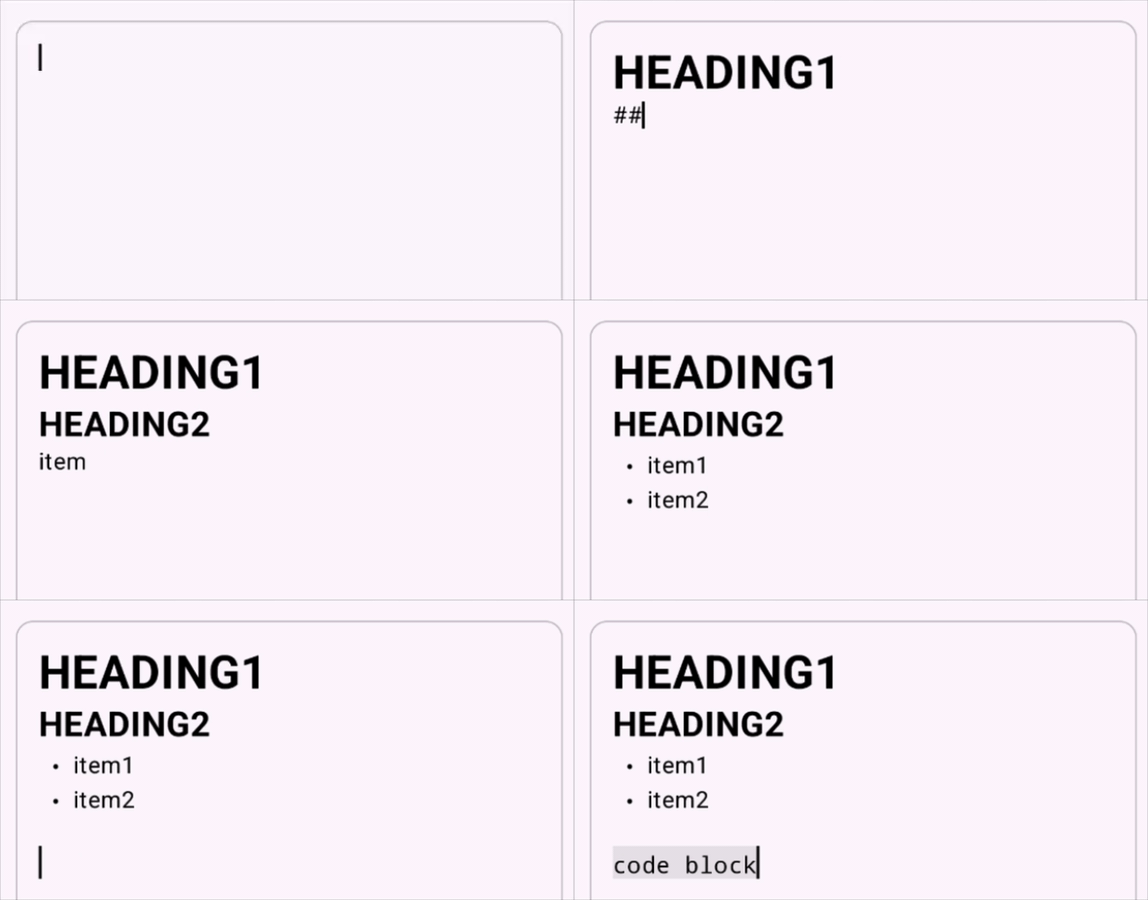
Comparison: RichTextEditor vs. WysiwygEditor
| Feature | RichTextEditor |
WysiwygEditor |
|---|---|---|
| Primary Use Case | Explicit formatting via toolbars, format buttons, and menus | Real-time automatic formatting via keyboard Markdown shortcuts |
| Automatic Markdown Conversion | None (entered characters remain literal plain text) | Enabled (# or **bold** convert immediately into styled spans) |
| Backspace Reversal | None (deletes characters one by one) | Enabled (pressing Backspace immediately after conversion restores raw Markdown syntax) |
| API Signature | 18 common parameters | Identical parameter set and signature to RichTextEditor |
Basic Usage
Like RichTextEditor, simply provide a RichTextState to run WysiwygEditor.
@Composable
fun SimpleWysiwygScreen() {
    val state = rememberRichTextState()

    WysiwygEditor(
        state = state,
        modifier = Modifier
            .fillMaxSize()
            .padding(16.dp),
    )
}
Supported Markdown Shortcuts
When typing, entering the following syntax triggers immediate conversion as soon as the delimiter (space, closing symbol) is entered:
Block Formatting (Line Prefix)
| Shortcut | Formatted Style | Attribute Key / Value |
|---|---|---|
# (Line start + space) |
Heading 1 | HeadingKey (HeadingLevel.H1) |
## (Line start + space) |
Heading 2 | HeadingKey (HeadingLevel.H2) |
### (Line start + space) |
Heading 3 | HeadingKey (HeadingLevel.H3) |
- or * (Line start + space) |
Bullet List | BulletListKey (ListIndentLevel.Level1) |
1. (Line start + space) |
Ordered List | OrderedListKey (ListIndentLevel.Level1) |
> (Line start + space) |
Blockquote | BlockquoteKey (Unit) |
Inline Formatting (Enclosing Symbols)
| Shortcut | Formatted Style | Attribute Key / Value |
|---|---|---|
**text** |
Bold | BoldKey (Unit) |
*text* or _text_ |
Italic | ItalicKey (Unit) |
`text` |
Inline Code | InlineCodeKey (Unit) |
~text~ |
Strikethrough | StrikethroughKey (Unit) |
Ergonomic Design & Typing Precision
1. Instant Backspace Reversal
A common frustration with automatic Markdown styling is wanting to enter a literal # or * symbol without triggering a formatting transformation.
In Arranger, pressing Backspace immediately after conversion instantly undoes the styling and restores the raw syntax (e.g. # or **bold**).
[Type] # Heading Title
   ↓ (Automatic Conversion)
Heading style applied (Large typography)
   ↓ (Press <kbd>Backspace</kbd>)
# Heading Title (Raw Markdown restored immediately)
This reversal bypasses the undo stack, keeping your typing flow completely seamless.
2. Escaping & False-Positive Prevention
- Backslash Escaping: When preceded by an odd number of backslashes (such as
\*\*not bold\*\*), automatic styling is disabled. - Identifier & Snake_Case Protection: In word boundaries with alphanumeric characters adjacent to underscores (such as
user_name_variableorAPI_KEY_SECRET), italic conversions are safely suppressed.
Sample Application
For a complete, interactive sample demonstrating WysiwygEditor in a multiplatform Compose application, explore the sample repository:
Related Documentation
- RichTextEditor Basics: Toolbar-driven rich text editor component.
- State Management (RichTextState): Undo/redo, selection, and attribute logical intersection.
- Spans and Paragraphs: Paragraph boundaries and mutual exclusion.