Spans and Paragraphs
Arranger separates document formatting into two orthogonal scopes: Span attributes (inline character-level styling) and Paragraph attributes (block-level paragraph styling).
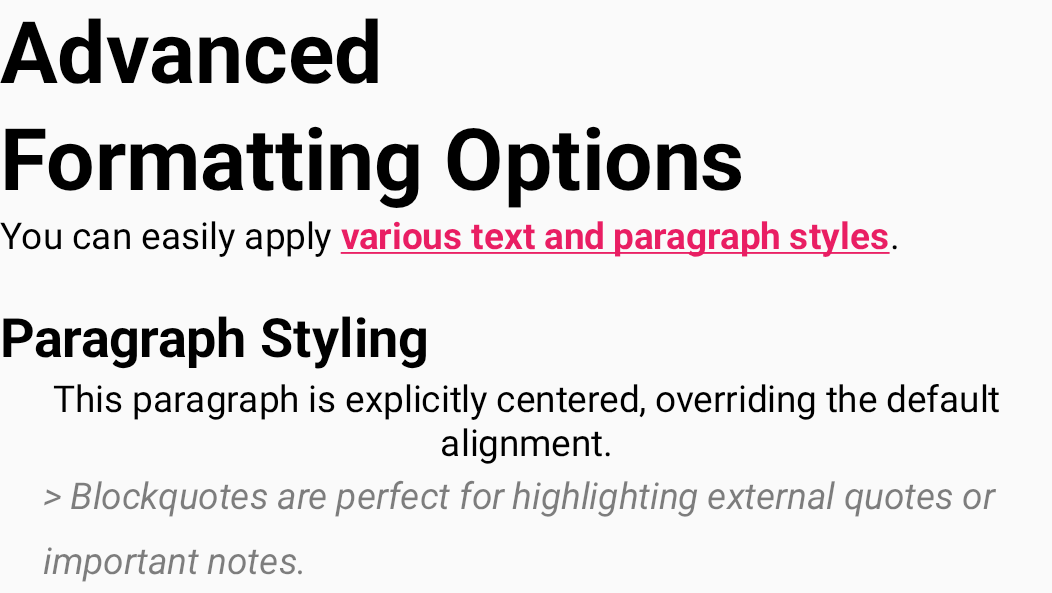
Two Fundamental Scopes
1. Span Attributes (Inline Styling)
Styling applied locally across arbitrary character ranges (IntRange), targeting specific words, phrases, or clauses.
- Examples: Bold (
BoldKey), Italic (ItalicKey), Underline (UnderlineKey), Text Color (TextColorKey), Hyperlinks (LinkKey). - Characteristics: Multiple distinct span attributes can overlap arbitrarily over the same character slice (e.g. bold + underlined + red text).
- Base Interface:
SpanAttributeKey<T>.
2. Paragraph Attributes (Block Styling)
Block-level styling applied across entire newline-delimited paragraphs (\n).
- Examples: Headings (
HeadingKey), Bullet Lists (BulletListKey), Blockquotes (BlockquoteKey), Text Alignment (TextAlignmentKey). - Characteristics: Even if applied to a partial substring within a paragraph, the engine automatically expands the formatting range to encompass the entire paragraph from boundary to boundary (paragraph snapping).
- Base Interface:
ParagraphAttributeKey<T>.
Type-Safe Attribute Key Hierarchy
In Arranger, attribute categorization and behaviors are guaranteed at compile time via Kotlin's type hierarchy.
flowchart TD
    AttributeKey["AttributeKey (Root Interface)"]
    SpanKey["SpanAttributeKey<br>(Character-level: Bold, Color, Link)"]
    ParagraphKey["ParagraphAttributeKey<br>(Block-level: Heading, List, Alignment)"]
    BlockTypeKey["BlockTypeAttributeKey<br>(Mutually exclusive block types)"]
    AlignmentKey["AlignmentAttributeKey<br>(Mutually exclusive alignments)"]

    AttributeKey --> SpanKey
    AttributeKey --> ParagraphKey
    ParagraphKey --> BlockTypeKey
    ParagraphKey --> AlignmentKey
Paragraph Snapping
When a user selects only a few words within a paragraph and applies a heading or blockquote, Arranger automatically snaps the target range across the entire paragraph boundary to maintain document integrity.
state.edit {
    // Even when targeting a single word within a paragraph...
    val wordRange = 10..15

    // Heading H2 is automatically applied across the entire encompassing paragraph
    setParagraphAttribute(HeadingKey, HeadingLevel.H2, range = wordRange)
}
Developers never need to write manual arithmetic to locate line start and end offsets.
Automatic Mutual Exclusion
Certain paragraph block attributes are conceptually mutually exclusive. Arranger detects these collisions and handles substitution safely.
1. Block Type Exclusion (BlockTypeAttributeKey)
Headings (H1–H6), bullet lists, ordered lists, and blockquotes implement BlockTypeAttributeKey.
Assigning a new block type to a paragraph automatically clears any existing block-type attribute on that paragraph.
state.edit {
    // 1. First apply a blockquote
    blockquote()

    // 2. Then apply Heading H1 to the same paragraph
    headingLevel(HeadingLevel.H1)

    // => BlockquoteKey is automatically removed, leaving only HeadingKey active
}
2. Horizontal Alignment Exclusion (AlignmentAttributeKey)
Left, Center, Right, and Justify alignment implement AlignmentAttributeKey.
Applying a new alignment attribute automatically supersedes any previous alignment attribute on that paragraph.
Practical Styling Example
@Composable
fun StylingExample() {
    val text = "Chapter 1 Introduction\nThis paragraph is centered.\nA quoted callout block."

    val state = remember {
        RichTextState(
            initialText = RichString(text).edit {
                // Paragraph attribute: Heading H1
                editAttributes(range = text.rangeOf("Chapter 1 Introduction")) {
                    headingLevel(HeadingLevel.H1)
                }

                // Paragraph attribute: Centered alignment
                editAttributes(range = text.rangeOf("This paragraph is centered.")) {
                    textAlignment(TextAlignment.Center)
                }

                // Paragraph attribute: Blockquote
                editAttributes(range = text.rangeOf("A quoted callout block.")) {
                    blockquote()
                }

                // Span attribute: Keyword styling
                editAttributes(range = text.rangeOf("centered")) {
                    bold()
                    underline()
                    textColor(Color(0xFF1976D2))
                }
            }
        )
    }

    RichTextEditor(state = state, modifier = Modifier.fillMaxWidth())
}
Related Documentation
- Built-in Attributes Reference: Complete index of all standard attribute keys and DSL functions.
- Custom Attributes: Defining custom Span and Paragraph attribute keys.
- Theming and Material 3: Visual styling for headings and blockquotes.